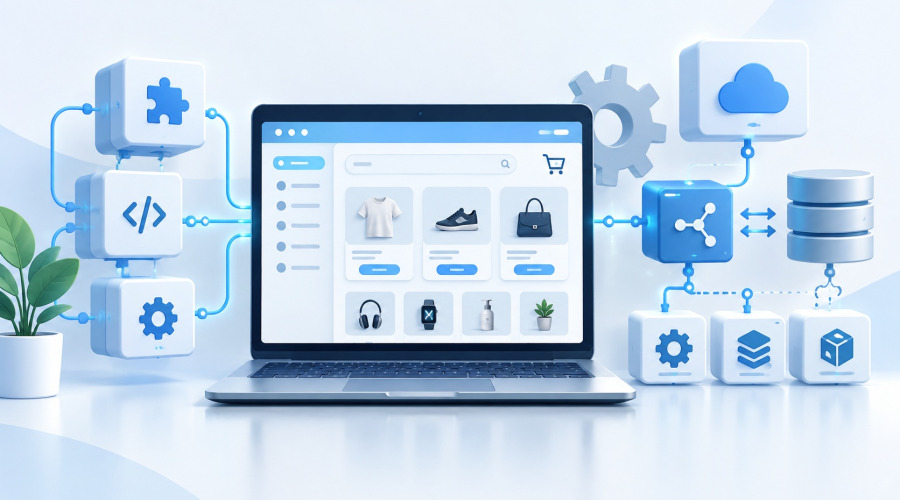




If you've ever thought about creating a website, you've probably heard the word "CMS." It sounds technical, but it's actually much simpler than it seems. Let's explore what it is, why you need a CMS, and how to choose the right system for your project.
What does CMS mean?
A CMS (Content Management System) is a content management system. Simply put, it's a website's "engine" that allows you to create, edit, and fill pages without any programming knowledge.
Previously, adding an article or changing an image required contacting a developer and manually editing the code. Today, thanks to a CMS, anyone can do this—both entrepreneurs and content managers. Everything is done through a user-friendly admin panel, where you can edit text, upload photos, add products, or add news—in just a few clicks.
What is a CMS for?
The main goal of a CMS is to simplify website management.
With it, you can:
- create new pages and edit existing ones;
- publish news, articles, and photos;
- manage menus, buttons, and banners;
- design an online store by adding products, prices, and descriptions;
- configure SEO parameters: titles, meta tags, links;
- monitor comments and feedback from users.
In other words, a CMS brings a website to life and allows the owner to independently manage the content. Without it, any minor edits to the site would require contacting a programmer, which costs time and money.
How a CMS works
A CMS is based on a simple principle:
- all website content (text, photos, settings) is stored in a database;
- templates and themes are responsible for the appearance of pages;
- the administrator manages all of this through a user-friendly interface, just like in a text editor.
You can change the text, add a banner or a new article, and click "Save." The CMS will automatically update the data on the site. You don't need to know HTML or CSS: the system automatically integrates the internals and the external design, presenting the user with a beautiful, finished page.
Types of CMS
There are several types of CMS, and the choice depends on the needs:
- Universal systems – suitable for blogs, corporate websites, and news portals (e.g., WordPress, Joomla).
- CMS for online stores – have built-in catalog, shopping cart, payment, and shipping modules (e.g., PrestaShop and OpenCart).
- Corporate and commercial solutions – complex systems for large companies with integrated CRM, analytics, and internal services (e.g., 1C-Bitrix).
Online website builders are cloud-based CMSs where everything is configured through a browser. Examples: Tilda, Wix. They are user-friendly for beginners, but limited in flexibility.
Advantages of CMS
Why millions of websites worldwide run on CMSs:
- Simplicity – everything is managed through an intuitive dashboard.
- Cost-effectiveness – no need to pay a programmer for every little detail.
- Flexibility - you can change the design, add new features and sections.
- SEO optimization - most CMSs allow you to add meta tags and headers, improving your site's visibility in search engines.
- Extensibility - you can add everything from a contact form to new online store features through plugins and modules.
CMS Disadvantages
Despite the obvious advantages, CMSs also have their own drawbacks:
- Security - open systems require regular updates.
- Template limitations - not every CMS allows you to create a unique design without the help of a developer.
- Redundancy - for simple websites, a minimal builder without unnecessary functionality is sometimes sufficient.
However, with proper configuration, these disadvantages are easily overcome, especially if you use a popular and supported system.
How to Choose a CMS for Your Website
Before choosing a CMS, it's worth answering a few questions:
- What type of website do you want to create – a blog, a business card, a store, or a portal?
- Who will be managing the website—you or specialists?
- Do you need integration with other services (CRM, analytics, online payment)?
- Is rapid project scalability important?
- Do you plan to develop the website yourself?
If you're creating a small website or landing page, simple solutions like WordPress or Tilda are suitable.
If you're planning an online store, it's better to choose a system with a catalog and shopping cart, such as PrestaShop, OpenCart, or 1C-Bitrix.
The main thing is that the CMS is understandable, stable, and convenient for you.
If you want to launch an online store with PrestaShop, take a look at our ready-made solutions.
👉 View PrestaShop online store templates
So what's the bottom line?
A CMS is the heart of a modern website.
It allows you to create, edit, and manage a web project without programmers or unnecessary costs. A well-chosen system helps save time, improves SEO, and makes the website user-friendly.
If you're just starting out on the internet, start with a CMS. This is a reliable foundation on which a successful project can easily grow: from a personal blog to a full-fledged online store.