
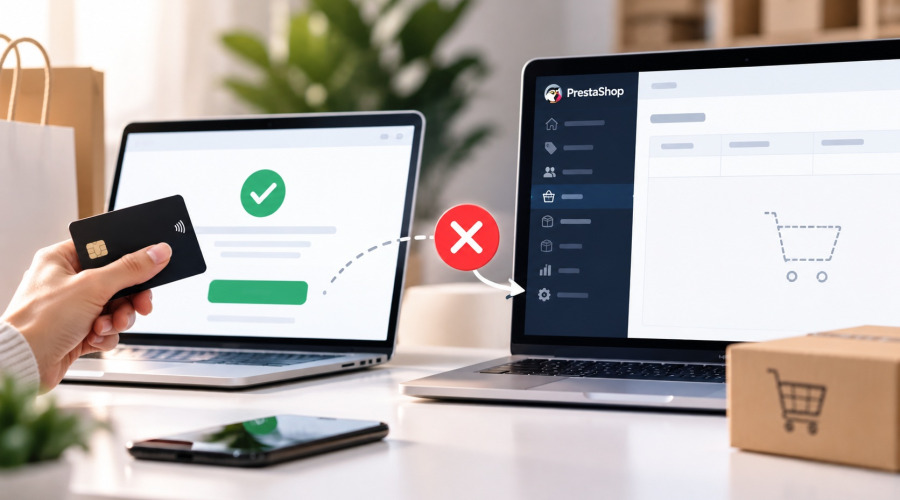




A customer completes payment successfully, the bank confirms the transaction, but no new order appears in the PrestaShop Back Office.
For an online store, this is a serious issue. The money has been received, but the purchase is not registered correctly. Staff may not know that the order needs to be processed, while the customer may contact support because there is no confirmation.
In most cases, the problem is somewhere between the payment service, the payment module and PrestaShop.
How payment usually works in PrestaShop
A typical payment flow looks like this:
-
The customer confirms the cart.
-
The payment service processes the transaction.
-
The payment provider sends a callback or webhook to the store.
-
The payment module creates the order or updates its payment status.
Depending on the module, the order may be created before the final payment confirmation or only after the payment provider confirms success.
This means that a successful bank transaction does not automatically guarantee that PrestaShop processed the payment correctly.
Why the order may be missing
The payment notification never reached the store
Many payment providers use webhooks or server-to-server callbacks.
The payment may be successful, but the notification request can fail because of:
-
an incorrect callback URL;
-
a server or firewall restriction;
-
a PHP error;
-
an expired endpoint;
-
a module configuration problem.
Check the payment provider dashboard and look at the callback history and HTTP response codes.
The callback arrived, but the module failed
Sometimes the provider successfully sends the notification, but the payment module fails while processing it.
Possible causes include:
-
incorrect amount;
-
wrong currency;
-
cart validation errors;
-
missing customer data;
-
a PHP exception;
-
incompatibility with the current PrestaShop version.
In this case, check both PrestaShop logs and the payment module logs.
The order exists, but has another status
Before assuming the order was never created, check whether it already exists with another state.
For example, the order may remain in:
Awaiting payment
Payment error
Cancelled
It is important not to create a second order before understanding what happened to the original one.
Checking the order in the database
If you know the cart ID, you can check whether it is linked to an order.
SELECT
    c.id_cart,
    c.id_customer,
    o.id_order,
    o.reference,
    o.current_state,
    o.total_paid_tax_incl
FROM ps_cart c
LEFT JOIN ps_orders o
    ON o.id_cart = c.id_cart
WHERE c.id_cart = 12345;
Replace ps_ with your database prefix and 12345 with the actual cart ID.
If id_order is NULL, no linked order was found.
If an order exists, check its state, total amount and payment information.
This query is read-only and is useful for initial diagnostics.
What payment module developers should check
A reliable payment module should always validate incoming payment notifications.
It should check:
-
request authenticity or signature;
-
transaction amount;
-
currency;
-
cart ID;
-
whether the transaction has already been processed.
Repeated webhooks are normal. A payment provider may send the same notification more than once, so the module must avoid creating duplicate orders.
It is also useful to log technical details such as transaction ID, cart ID and validation result. Sensitive payment data and secret keys should never be written to logs.
What changes with PrestaShop 9.2
PrestaShop 9.2 introduced the official One Page Checkout.
If the store uses it, payment module compatibility should be tested carefully.
This is especially important for modules with:
-
custom payment buttons;
-
embedded payment forms;
-
redirection to an external payment page;
-
custom JavaScript during checkout.
A payment module that worked correctly with the classic checkout may still require additional testing with the new one-page flow.
What to do if the customer has already paid
Do not immediately ask the customer to pay again.
First compare:
payment transaction
cart
customer
order
amount
currency
If the payment is confirmed but no order exists, the store operator needs to reconstruct the purchase carefully and make sure the customer is not charged twice.
After fixing the issue, run a real test payment from start to finish and confirm that:
payment succeeds;
callback arrives;
order is created;
correct status is assigned;
confirmation email is sent;
order appears in Back Office.
If a payment succeeds but no order appears in PrestaShop, the problem should be investigated step by step:
payment provider
→ callback/webhook
→ payment module
→ cart
→ order
→ order status
For merchants, the main priority is making sure successful payments never go unnoticed.
For developers, the payment flow must be resistant to failed callbacks, repeated notifications and checkout changes.
A successful transaction is not enough.
The payment must also result in a correctly registered order in PrestaShop.
