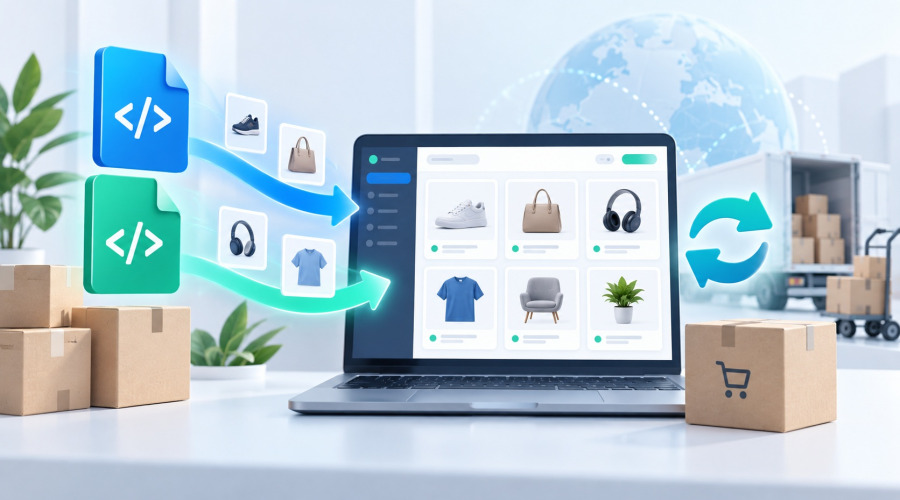





When a supplier provides a catalogue in XML or YML format, the task can look straightforward: take the feed and import the products into your online store. In practice, the real challenge begins later, when suppliers change prices, stock levels, categories, product attributes, images or even the structure of the feed itself.
For a store with thousands of products, importing is no longer a one-off upload. It becomes an ongoing catalogue synchronisation process that needs to be repeatable, predictable and safe.
This is the use case Ewonta Product Import for PrestaShop is designed for. The module works with XML and YML supplier feeds, supports multiple independent sources and can both create new products and keep existing catalogue data up to date.
The real challenge is keeping the catalogue under control
If supplier data is copied into the store exactly as it appears in the feed, the structure of the catalogue gradually becomes dependent on the supplier.
A category may be called “Tables” today and “Tables & Side Tables” tomorrow. One supplier may use “Length”, another “Length, cm”, and another “Table length”. Price, stock, reference, brand and description fields can also use completely different names across feeds.
A robust import process should therefore separate the supplier’s data structure from the store’s own catalogue structure.
Ewonta Product Import uses field mapping for this purpose. The store administrator defines which supplier field corresponds to the product name, price, stock quantity, reference, brand, description and other PrestaShop fields.
Once configured, the same mapping is reused in future imports.
This is especially important when working with several suppliers: each source can have its own feed structure, while all product data is normalised into one consistent model inside PrestaShop.
Import only the categories you actually need
Large supplier feeds often contain dozens or hundreds of categories, while an individual store may only need a specific part of the supplier’s catalogue.
For example, a supplier may provide electronics, home appliances, furniture, tools and home & garden products, while the store only sells electronics.
Importing the full category tree would simply create unnecessary catalogue noise.
The module allows you to select specific categories or complete category branches for import. Products outside the selected branches are excluded before processing and do not enter the PrestaShop catalogue.
At the same time, the store does not have to remain permanently tied to the supplier’s category naming.
Category names, friendly URLs and parent relationships can be managed separately. This means a category can be renamed for SEO, navigation or merchandising purposes without the next supplier import automatically overwriting the store’s own structure.
The supplier provides the assortment, but the merchant keeps control over the catalogue.
Prices and stock should follow your business rules
A supplier price is rarely the final selling price of an online store.
One supplier may require a 10% markup, another 20%. In some cases, very low stock values should be treated as unavailable, or different stock rules need to be applied depending on the source.
For this reason, an import system should do more than simply copy values.
Ewonta Product Import can apply price and stock rules while processing supplier data. References, EAN/GTIN codes, manufacturers and other product data can be updated alongside them.
This allows the supplier to remain the source of product information while the commercial logic stays under the control of the store.
Large catalogues need batch processing and queues
With a few hundred products, almost any import process can look fast and simple.
With tens of thousands of products, the requirements are different. Images need to be downloaded, combinations updated, categories processed, features created and stock synchronised. Supplier servers may respond slowly, PHP processes may reach execution limits, and individual image requests may fail.
A large catalogue therefore should not depend on one long-running browser request.
Ewonta Product Import uses batch processing and an import queue. An import can be paused and resumed from its saved state instead of starting again from the beginning.
Regular operations can be started from the PrestaShop Back Office or through CLI. It is possible to run all active sources, only sources that have never been processed before, or synchronise product data without downloading images again.
For a production store, this resilience is more important than simply having a progress bar. One failed operation should not mean repeating the entire catalogue import.
Prevent duplicate features and attributes
One of the most common problems when working with multiple suppliers is that the same product data appears under different names.
For example:
Colour
color
Product colour
Main colour
Color
To a person, these may clearly refer to the same concept. To an automated importer, they are different labels.
If every import creates a new feature or attribute, the catalogue gradually becomes filled with duplicates. This affects product pages, layered navigation and future catalogue maintenance.
For this scenario, Ewonta Product Import can work together with Ewonta Attribute Manager.
Once the administrator confirms that several names refer to the same feature or attribute, that mapping can be reused during future imports. Instead of recreating a known duplicate, the importer can use the existing PrestaShop entity.
The goal is not to clean the catalogue after every import, but to prevent known duplicates from being created again.
Supplier imports should become an ongoing process
A well-configured supplier import eventually stops feeling like “uploading an XML file”.
The supplier updates the feed, while the online store receives current products, prices, stock, attributes, images and other information according to predefined rules.
The administrator still controls the important parts of the catalogue:
— category structure;
— field mapping;
— price and stock rules;
— features and attributes;
— supplier sources;
— large catalogue processing.
The real value of automation is not being able to import 10,000 products once. It is making sure that the same catalogue can still be synchronised reliably months later without constant manual corrections.
Ewonta Product Import is built for this type of supplier workflow — from initial XML/YML feed configuration to recurring synchronisation of large PrestaShop catalogues.